
5 Crypto Wallets Every Dad Should Know
Breakdown of secure hot and cold wallets.
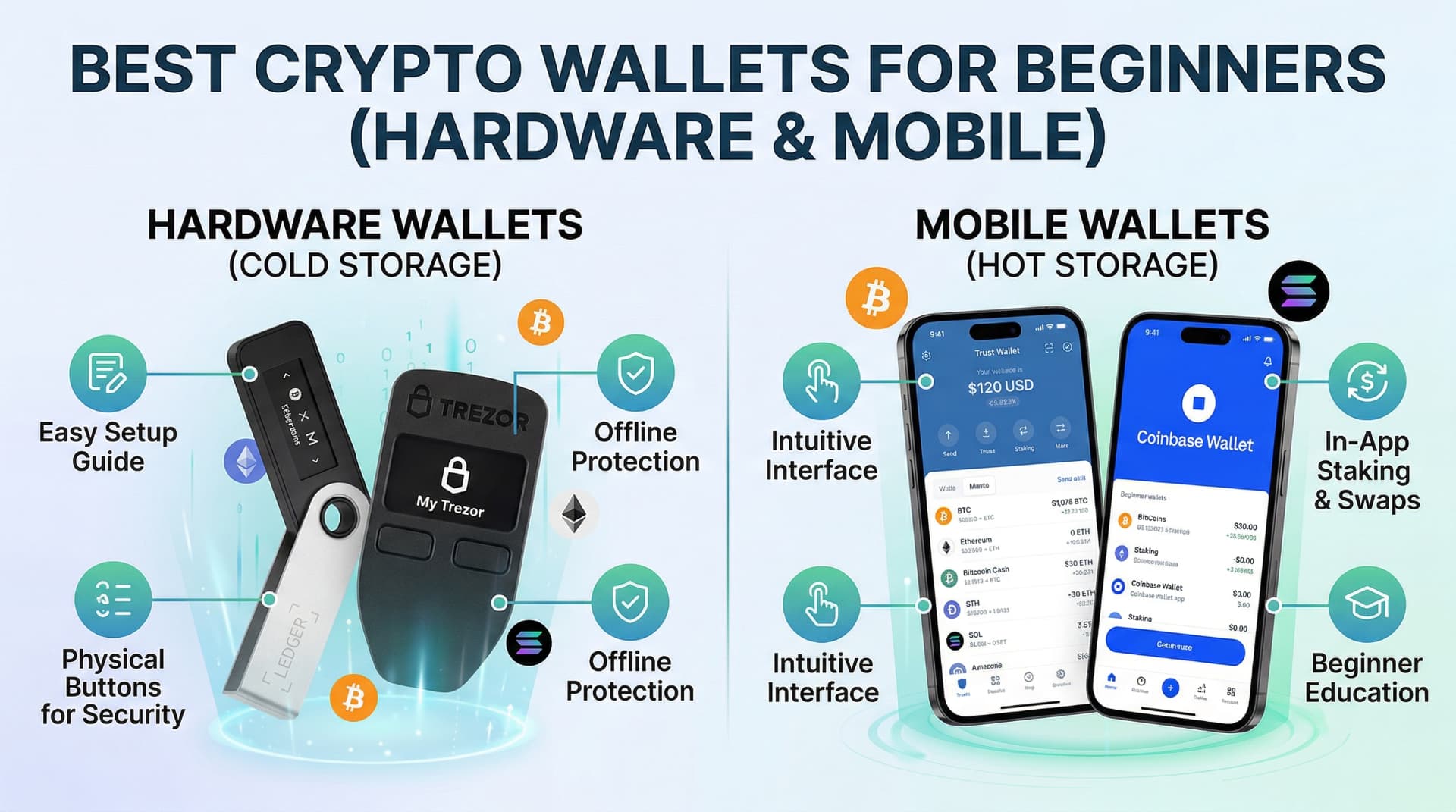
The Short Answer
The best crypto wallets for dads are Ledger Nano X and Trezor Model T for long-term cold storage, and Trust Wallet or Exodus for everyday mobile access — security and simplicity should drive your choice.
5 Crypto Wallets Every Dad Should Know
By DadAlt Investments | Category: Crypto & Digital Assets | Last Updated: March 2026
Summary
If you own cryptocurrency — or are thinking about buying some — where you store it matters just as much as what you buy. Roughly 21% of American adults, or approximately 55 million people, now own some form of digital asset, according to the largest survey ever conducted of US crypto holders in early 2025. Yet the majority of those holders still store everything on a centralized exchange, which means a hack, insolvency event, or regulatory freeze could make their funds inaccessible in an instant. The answer is a wallet — a tool that gives you direct control over your private keys and, by extension, your crypto. The problem is that "wallet" covers a wide range of products, from free phone apps to dedicated hardware devices, and choosing the wrong one for your situation is a real risk. This guide breaks down the five wallets every American dad with crypto exposure should know about — two hot wallets for everyday use and convenience, two cold wallets for serious long-term storage, and the exchange wallet you're probably already using — along with what each one does well, where it falls short, and which type of investor it's best suited for.
Before choosing a platform, you must understand how to store crypto safely long-term
First: Understanding the Two Types of Crypto Wallets
Before diving into specific products, it's worth understanding the fundamental split in the wallet market.
Hot Wallets are software applications — mobile apps, browser extensions, or desktop programs — that store your private keys on a device connected to the internet. They are convenient, free, and ideal for active trading and DeFi (decentralized finance) interactions. The tradeoff is exposure: a device that is always connected to the internet is always a potential target for malware, phishing attacks, and exploits.
Cold Wallets are physical hardware devices that store private keys completely offline. They are designed for security above all else. To approve a transaction, you physically connect the device and confirm on a small screen — meaning a remote attacker can never drain your funds without physical access to your device. They cost $69–$150+ upfront but are widely considered the gold standard for protecting meaningful crypto holdings.
The widely cited rule of thumb in the crypto security community is: use a hot wallet for the crypto you're actively using, and a cold wallet for everything you're holding long-term. Think of it like the difference between your checking account and a fireproof safe.
The State of Wallet Adoption in 2025
- Approximately 820 million unique active cryptocurrency wallets exist globally in 2025, according to CoinLaw's crypto wallet statistics research
- In North America, there are around 134 million wallet users — roughly 16% of global wallet users
- 59% of crypto wallet users globally now prefer non-custodial (self-custody) wallets versus custodial solutions, up from prior years
- Hardware wallet sales are projected to reach $560 million in 2025, growing at a compound annual growth rate of nearly 30%
- 78% of retail crypto users still use hot wallets as their primary access point
- Only 22% of users have hardware wallets, typically used for long-term storage
- Wallets with multi-factor authentication show a 62% lower incidence of compromise compared to those without
- Among all crypto owners, 35% cite security as their top wallet selection concern
These numbers make one thing clear: most crypto holders are still significantly underprotected for the long-term holdings they intend to keep.
The Exchange Wallet: Where Most People Start (and the Risks)
Before covering the five wallets you should know, it's worth addressing the wallet most people are already using without realizing it: the custodial wallet on your crypto exchange.
When you buy Bitcoin on Coinbase, Kraken, or Gemini, the crypto is held in a wallet controlled by the exchange — not by you. This is called a custodial wallet, and it's the default starting point for almost every new crypto investor.
What Custodial Exchange Wallets Get Right
- Easiest possible onboarding — no setup required beyond opening your exchange account
- Account recovery is possible — if you forget your password, the exchange can help you regain access
- Familiar interface — works like a brokerage account, which most people already understand
- Federally insured USD balances — Coinbase, for example, provides FDIC insurance on US dollar balances up to $250,000
The Critical Limitation
The most important phrase in crypto is: "Not your keys, not your coins." When your crypto is on an exchange, you don't hold the private keys — the exchange does. That means:
- If the exchange is hacked, your funds may be at risk
- If the exchange becomes insolvent (as FTX did in 2022, vaporizing billions in customer funds), your access may be frozen indefinitely
- If the exchange freezes withdrawals for regulatory or operational reasons, you cannot move your assets
For small amounts or funds you're actively trading, an exchange wallet is a reasonable choice. For any meaningful holding you intend to keep for months or years, it should not be your primary storage solution.
The rest of this article covers the five wallets every dad with crypto should know — starting with the most accessible hot wallets and working toward professional-grade cold storage.
Wallet #1: Coinbase Wallet (Hot Wallet — Best for Beginners)
Type: Hot wallet (software) | Cost: Free | Platform: iOS, Android, Chrome extension
What It Is
Coinbase Wallet is a self-custodial hot wallet developed by Coinbase — meaning unlike the exchange itself, you hold your own private keys. It is separate from the Coinbase exchange (where your exchange account funds live), though the two connect seamlessly for moving funds back and forth.
Originally launched in 2017, Coinbase Wallet rebranded to Base App at the end of 2025, though most users and reviews still refer to it by its original name. It supports thousands of cryptocurrencies across EVM-compatible networks including Ethereum, Bitcoin, Solana, Polygon, Base, Arbitrum, Optimism, BNB Chain, and more.
Key Features
- Self-custodial control: Your private keys are stored locally on your device using Secure Enclave technology — a hardware-level encryption mechanism on modern phones
- Biometric authentication: Fingerprint and facial recognition for access
- DApp browser: Built-in access to decentralized applications (Uniswap, Aave, OpenSea, and thousands more)
- Token approval alerts and dApp blocklists: Real-time warnings when a dApp requests suspicious permissions
- Ledger hardware wallet integration: You can pair Coinbase Wallet with a Ledger device for additional security on larger holdings
- USDC rewards: Eligible users can earn up to ~4.1% APY on USDC held in the wallet on the Base network
- Swap fees: 0.5%–1% on in-wallet swaps; network gas fees apply separately
Security Track Record
Coinbase Wallet has experienced two notable security incidents related to its parent company:
- 2021: Hackers exploited a vulnerability in Coinbase's SMS-based 2FA system, compromising approximately 6,000 exchange accounts. Affected users were reimbursed
- May 2025: Hackers bribed Coinbase customer support agents at an external vendor, exposing personal data for a small subset of users. No crypto assets were stolen; Coinbase disclosed the incident publicly
Neither incident compromised the Wallet's core private key architecture. However, they illustrate that even industry-leading platforms are not immune to social engineering and human error.
Who It's Best For
- Coinbase exchange users who want their first step into self-custody
- Beginners who want a familiar, brand-name option with solid customer support resources
- Anyone actively using DeFi protocols, NFT marketplaces, or Web3 applications on Ethereum and compatible chains
What to Watch Out For
- As a hot wallet, it remains more vulnerable to online attacks than cold storage
- Losing your 12-word recovery phrase means permanent loss of access — Coinbase cannot recover it
- Not ideal for large, long-term holdings; pair with a hardware wallet for significant balances
Verdict: Coinbase Wallet is the gentlest on-ramp to self-custody for someone who has never managed their own keys. The Coinbase brand provides a level of institutional credibility that few hot wallets can match, and the seamless connection to the Coinbase exchange makes it easy to move between trading and self-custody. It's the right first hot wallet for most US-based dads getting started.
Wallet #2: MetaMask (Hot Wallet — Best for DeFi and Web3 Access)
Type: Hot wallet (software) | Cost: Free | Platform: iOS, Android, Chrome/Firefox/Edge extension
What It Is
MetaMask is the most widely used self-custody wallet in the world, with approximately 30 million monthly active users and 143 million total users globally in 2025, according to CoinLaw's MetaMask wallet statistics. Developed by Consensys since 2016, it began as an Ethereum-only browser extension and has since expanded into a full multi-chain platform — adding native Solana support in mid-2025 and native Bitcoin support in December 2025.
It is the de facto standard for connecting to decentralized applications. If a DeFi protocol, NFT marketplace, or Web3 project supports a wallet, it almost certainly supports MetaMask first. That near-universal compatibility is MetaMask's single greatest competitive advantage.
Key Features
- Multi-chain support: Native support for Ethereum, Solana, Bitcoin (added December 2025), and all EVM-compatible networks (Polygon, BNB Chain, Arbitrum, Optimism, Base, Avalanche, and more)
- MetaMask Snaps: An extension system that allows third-party developers to add support for additional blockchains and security features — making MetaMask the most extensible wallet in the market
- Fully open-source: All code is publicly auditable, which makes it the preferred choice of privacy-conscious and technically sophisticated users
- Hardware wallet integration: Connects with both Ledger and Trezor for cold storage security while using MetaMask as the interface
- In-app token swaps: Aggregates prices from dozens of DEXs; charges a 0.875% service fee
- Gas Station feature (February 2025): Allows users to pay Ethereum gas fees in the token being used, solving a major pain point for DeFi traders
- Coinspect's #1 ranked web3 wallet for security as of July 2025
Usage Statistics (CoinLaw / SQ Magazine, 2025)
- Approximately 30 million monthly active users in early 2025, up 55% from 19 million in September 2023
- 17.39% of global MetaMask traffic originates from the United States
- Cumulative swap revenue: approximately $325 million as of 2025
- Chain-level usage breakdown: BNB Chain ~45.2%, Ethereum ~24%, Polygon ~20.5%
Security Considerations
MetaMask's core security model is technically robust: private keys are stored locally on the user's device (not on Consensys servers), the code is fully open-source and community-audited, and it integrates with hardware wallets for maximum protection. However, it lacks built-in two-factor authentication (2FA), and the majority of MetaMask-related fund losses in 2025 stem not from core vulnerabilities, but from user behavior — phishing attacks, malware, and users signing malicious transactions without understanding what they're approving.
In 2025, MetaMask introduced improved phishing protection and publishes monthly security reports, including alerts about "zombie dApps" — defunct crypto projects whose domains have been re-registered by attackers to steal funds from users who still have those sites bookmarked.
One critical warning from MetaMask's own December 2025 security report: physical "wrench attacks" — where criminals threaten or harm victims in person to obtain wallet access — increased significantly in 2025. The security lesson is clear: never discuss how much crypto you hold publicly, and never keep large amounts exclusively in a hot wallet that could make you a physical target.
Who It's Best For
- Experienced crypto users who actively participate in DeFi, yield farming, NFT trading, or governance voting
- Anyone who wants maximum compatibility with Web3 protocols and dApps
- Users who value open-source software and community-audited code
- Technically confident investors who understand the risks of active Web3 participation
What to Watch Out For
- Steeper learning curve than Coinbase Wallet — the interface is more technical and less beginner-friendly
- No built-in 2FA — relies entirely on your seed phrase and device security
- Significantly higher risk of phishing attacks due to the wallet's ubiquity as a Web3 standard
- Not recommended for large, long-term holdings without pairing with a hardware wallet
Verdict: MetaMask is the most powerful and versatile hot wallet available. For active DeFi users and Web3 participants, it's essentially required. For someone who only wants to hold Bitcoin and Ethereum and check their balance occasionally, it's more wallet than they need. The key risk is not the software itself — it's that MetaMask puts you in direct contact with the unregulated parts of the crypto ecosystem, where scams are common and mistakes are permanent.
Wallet #3: Ledger Nano X (Cold Wallet — Best for Beginners to Hardware)
Type: Cold wallet (hardware) | Cost: $149 | Platform: Ledger Live app (iOS, Android, macOS, Windows, Linux)
What It Is
The Ledger Nano X is the world's best-selling hardware wallet, with over 3 million users worldwide and the broadest coin support of any consumer hardware device on the market. Founded in Paris in 2014, Ledger has established itself as the most recognizable name in crypto cold storage, and the Nano X has been its flagship mobile-first device since 2019.
The core security principle of all Ledger hardware wallets is the Secure Element (SE) chip — the same type of hardware chip used in bank cards, passports, and government IDs. This chip stores your private keys in a physically isolated, tamper-resistant environment. It is EAL5+ certified on the Nano X (and EAL6+ on newer models like the Nano S Plus and Flex), meaning it has been independently evaluated against military-grade attack scenarios.
Private keys never leave the device. Every transaction must be physically confirmed by pressing buttons on the hardware wallet itself — meaning even if your computer or phone is completely compromised by malware, a hacker still cannot authorize transactions without the physical device in hand.
Key Features
- 5,500+ cryptocurrencies supported through the Ledger Live app — the broadest coverage of any major hardware wallet
- Bluetooth 5 connectivity: The Nano X is the only Nano-series device that connects wirelessly to both iOS and Android — critical for iPhone users, since the Nano S Plus (USB-C only) cannot connect to iPhones
- Built-in battery: 8 hours of use per charge; designed for on-the-go management
- EAL5+ certified Secure Element chip: Protects private keys against remote and physical attacks
- Ledger Live ecosystem: Integrated app for portfolio management, buying/selling (via third-party partners), staking for 20+ networks, and NFT management
- Up to 100 apps simultaneously: One of the more flexible storage configurations in the market
- Clear Signing: Displays full, human-readable transaction details on-device before confirmation
Security Track Record
Ledger's wallet security is strong — no hack of the core private key architecture has ever occurred. However, the company has faced two notable controversies:
- 2020 data breach: Ledger's e-commerce database was breached, exposing names, email addresses, and shipping addresses of approximately 270,000 customers. No funds were compromised, but the breach spawned phishing campaigns targeting Ledger customers
- 2023 Ledger Recover controversy: Ledger announced an optional seed phrase backup service that split and encrypted recovery phrases across three parties. Critics argued this introduced a theoretical path for third-party key access. Ledger defended the security model, but the announcement drove many privacy-conscious users to switch to Trezor
Neither incident compromised the hardware wallet itself, but they are important context when evaluating trust in the brand.
Ledger's 2025 Product Lineup at a Glance
| Model | Price | Security Chip | Bluetooth | Best For |
|---|---|---|---|---|
| Nano S Plus | $79 | EAL6+ | No | Budget-conscious desktop users |
| Nano X | $149 | EAL5+ | Yes (iOS + Android) | Mobile users and iPhone owners |
| Flex | $249 | EAL6+ | Yes | Larger e-ink touchscreen experience |
| Stax | $399 | EAL6+ | Yes | Premium curved touchscreen |
For most beginners, the Ledger Nano S Plus ($79) offers higher EAL6+ chip certification at nearly half the price of the Nano X — with the only tradeoff being no Bluetooth and no iOS connectivity. If you use an iPhone and want wireless management, the Nano X ($149) is worth the premium. Both support the same 5,500+ coins and 100 simultaneous apps.
Who It's Best For
- Anyone making their first foray into hardware wallet security
- Investors who hold diverse portfolios across multiple cryptocurrencies
- iPhone users who need Bluetooth/wireless connectivity
- Those who want the most seamless hardware wallet app experience (Ledger Live is polished and feature-rich)
What to Watch Out For
- Firmware is not fully open-source — Ledger's Secure Element and OS code cannot be independently verified by the public
- Do not enroll in Ledger Recover if you want maximum key isolation
- Always buy directly from ledger.com — never from Amazon, eBay, or secondhand sources. Pre-tampered Ledger devices are a known attack vector
Verdict: The Ledger Nano X is the most beginner-friendly path into cold storage, backed by brand recognition and an app ecosystem that makes the transition from exchange custody as smooth as possible. For a dad who's held crypto on Coinbase for a year and is ready to take his holdings off the exchange, the Nano X (or Nano S Plus for desktop users) is the natural first hardware wallet.
Wallet #4: Trezor Safe 3 (Cold Wallet — Best for Security-First and Open-Source Advocates)
Type: Cold wallet (hardware) | Cost: $79 | Platform: Trezor Suite (desktop, Android, web browser)
What It Is
Trezor invented the hardware wallet market. When SatoshiLabs launched the original Trezor Model One in 2014, it was the world's first commercial hardware wallet. A decade later, Trezor remains the gold standard for one thing above all else: complete, 100% open-source transparency.
Every line of Trezor's firmware, bootloader, and hardware schematics is publicly available for independent inspection. This is not just a marketing claim — the open-source code has been extensively reviewed by independent security researchers worldwide. For users who believe that "security through obscurity" is not security at all, Trezor's commitment to open-source design is a fundamental differentiator from Ledger.
The Trezor Safe 3, launched in October 2023 at $79, is the most compelling product in Trezor's current lineup. It's the first Trezor model to include a dedicated Secure Element chip (EAL6+ certified) — the same class of physical tamper-resistance found in Ledger devices — while maintaining Trezor's commitment to open-source software. At $79, it offers exceptional value: the same security chip certification as Ledger's pricier models, at the same price as Ledger's entry-level device, with full open-source transparency that Ledger cannot match.
Key Features
- EAL6+ certified Secure Element chip: Protects PIN and recovery seed from physical brute-force attacks. Earlier Trezor models (Model One, original Model T) lacked this chip, making the Safe 3 a significant security upgrade
- 100% open-source firmware and hardware: Every component can be independently audited — the only major hardware wallet where this is true for both software and hardware
- Supports 8,000+ cryptocurrencies through Trezor Suite and third-party integrations (some niche coins require third-party wallets)
- Shamir Backup (SLIP-39): Trezor's signature security feature — allows you to split your recovery seed into multiple shares (e.g., 3-of-5) stored in different physical locations. Even if someone finds one or two shares, they cannot restore your wallet. No competitor offers this feature
- Trezor Suite desktop app: Clean, modern management software with portfolio tracking, transaction history, and optional Tor integration for privacy
- FIDO2 two-factor authentication: Use the Safe 3 as a hardware security key for 2FA on websites that support the standard
- Tamper-evident packaging: The device ships in packaging that visibly reveals any opening attempt
- Available in 5 colors: Cosmic Black, Stellar Silver, Solar Gold, Galactic Rose, and Bitcoin Orange (limited edition)
- No Bluetooth: USB-C only — by design. The absence of wireless connectivity eliminates an entire category of remote attack vectors
Bitcoin-Only Firmware Option
For dads who hold Bitcoin only and want maximum simplicity and security, Trezor offers a Bitcoin-only firmware edition of the Safe 3. This firmware removes all altcoin and smart contract functionality, reducing the attack surface to a single, well-understood use case — storing and transacting Bitcoin. The Bitcoin-only edition comes in Bitcoin Orange and donates €21 from each sale to Bitcoin education projects in Africa.
Important Note on iOS Compatibility
The Safe 3 does not have Bluetooth and does not support iOS connections due to Apple's restrictions on USB accessories. iPhone users cannot use the Trezor Safe 3 for mobile wallet management. Setup and daily use require a desktop computer (Windows, macOS, Linux) or an Android phone. This is the primary practical limitation compared to the Ledger Nano X.
Side-by-Side: Trezor Safe 3 vs. Ledger Nano S Plus
Both devices cost $79 and have EAL6+ Secure Element chips. The key differences:
| Feature | Trezor Safe 3 | Ledger Nano S Plus |
|---|---|---|
| Chip certification | EAL6+ | EAL6+ |
| Open-source firmware | Yes (fully) | No (proprietary) |
| Coin support | 8,000+ | 5,500+ |
| iOS mobile use | No | No |
| Android mobile use | Yes (USB) | Yes (USB) |
| Shamir Backup | Yes | No |
| Seed phrase recovery | Standard seed phrases | Standard seed phrases |
| Bluetooth | No | No |
Who It's Best For
- Anyone who values open-source software and wants to independently verify their security
- Long-term holders who want Shamir Backup's distributed recovery capability
- Desktop-primary users (Windows, Mac, Linux) and Android users
- Bitcoin holders who want a Bitcoin-only firmware option
- Anyone unsettled by Ledger's Recover controversy who wants guaranteed no-third-party-key-access
What to Watch Out For
- No iOS support for mobile management — requires desktop or Android
- Some niche coins require third-party wallet apps rather than native Trezor Suite support
- CoinJoin (Bitcoin privacy feature) was discontinued in June 2024 after Trezor's coordination partner withdrew; some older reviews still reference it as a feature
- The monochrome OLED screen and two-button navigation are functional but less visually polished than touchscreen alternatives
Verdict: For an informed investor who wants maximum verifiable security at the entry price point, the Trezor Safe 3 is the most compelling hardware wallet value in 2025–2026. The combination of EAL6+ hardware security, completely open-source code, and Shamir Backup is not matched by any other device at this price. If you use an iPhone for mobile management, the Ledger Nano X remains the better practical choice; if you use a desktop or Android, the Trezor Safe 3 is the stronger recommendation.
Quick Comparison: The 4 Wallets at a Glance
| Coinbase Wallet | MetaMask | Ledger Nano X | Trezor Safe 3 | |
|---|---|---|---|---|
| Type | Hot (software) | Hot (software) | Cold (hardware) | Cold (hardware) |
| Cost | Free | Free | $149 | $79 |
| Self-custody | Yes | Yes | Yes | Yes |
| Open-source | Partial | Yes (full) | No (firmware) | Yes (full) |
| Coins supported | Thousands | Thousands+ | 5,500+ | 8,000+ |
| iOS support | Yes | Yes | Yes (Bluetooth) | No |
| Android support | Yes | Yes | Yes (Bluetooth/USB) | Yes (USB) |
| DeFi/dApp access | Yes | Yes | Via paired wallet | Via paired wallet |
| Best for | Beginners | DeFi/Web3 users | Mobile hardware storage | Desktop/security-first |
| Main risk | Online threats | Phishing/malware | Proprietary firmware | No wireless, no iOS |
The Right Wallet Setup for Most Dads with Crypto
Based on the security landscape and the wallets covered above, here is a tiered recommendation for different levels of crypto involvement:
Tier 1: "I just bought my first Bitcoin and want to try things out."
- Use your exchange wallet (Coinbase, Kraken, or Gemini) for now
- Within 90 days: download Coinbase Wallet and move a small amount to get comfortable with self-custody before you're holding a meaningful balance
Tier 2: "I have $500–$5,000 in crypto and actively trade between a few coins."
- Hot wallet: Coinbase Wallet for everyday access and DeFi exploration
- Exchange: Keep funds on a regulated exchange for active trading; move holdings to self-custody after each major purchase
- Start planning for hardware: At this level, a $79 Trezor Safe 3 or Ledger Nano S Plus is proportional to your risk exposure
Tier 3: "I have meaningful holdings I plan to hold for years."
- Hot wallet: MetaMask or Coinbase Wallet for small amounts of "spending" crypto and DeFi access
- Cold wallet: Ledger Nano X (iPhone users) or Trezor Safe 3 (desktop/Android users) for the bulk of your holdings
- Rule of thumb: if your crypto is worth more than a few thousand dollars, it belongs on a hardware wallet
Tier 4: "I hold a significant portfolio — multiple ETH, meaningful Bitcoin, or six-figure crypto holdings."
- Cold wallet: Trezor Safe 3 with Shamir Backup enabled, seed shares stored in at least 2–3 physically separate locations (home safe, bank safety deposit box, trusted family member's secure location)
- Secondary device: A Ledger Nano X for any holdings managed on mobile
- Physical security: At this level, do not publicize your holdings. Multiple credible reports in 2025 documented home invasions and physical attacks specifically targeting crypto holders to obtain hardware wallet PINs
7 Universal Wallet Security Rules
Regardless of which wallet you use, these rules apply to every crypto holder:
- Buy hardware wallets only from the official manufacturer's website. Pre-tampered devices sold through third parties are a documented attack vector. Ledger ships from ledger.com; Trezor ships from trezor.io
- Write your seed phrase on paper and store it offline. Never photograph it, email it, save it in a notes app, or store it in any digital form. Use the recovery sheet included with your hardware wallet
- Never share your seed phrase with anyone, for any reason. No legitimate support representative, platform, or individual will ever ask for your seed phrase. If someone asks for it, they are attempting to steal your crypto
- Double-check wallet addresses before every transaction. "Clipboard hijacker" malware silently replaces copied wallet addresses with the attacker's address. Always manually verify the first and last 6–8 characters of any address before confirming a transaction
- Use an authenticator app (Google Authenticator or Authy), not SMS, for two-factor authentication on exchange and custodial accounts. SIM-swapping attacks can intercept SMS-based 2FA codes
- Test your recovery process before you need it. After setting up a hardware wallet, verify that your seed phrase actually restores the wallet by wiping the device and recovering it. This is the only way to confirm your backup works
- Keep firmware updated on hardware wallets. Both Ledger and Trezor release regular firmware updates patching security vulnerabilities. Connect your device to the manufacturer's app periodically and install updates when prompted
Key Takeaways
- Two wallet types exist: hot wallets (internet-connected, free, convenient) and cold wallets (offline hardware, $69–$150+, maximum security). Most investors with meaningful crypto need both
- 21% of US adults — roughly 55 million people — now own cryptocurrency (National Cryptocurrency Association / Harris Poll, 2025). Most still store funds on exchanges, creating unnecessary custodial risk
- "Not your keys, not your coins" is the foundational lesson of every major exchange collapse, including FTX in 2022. Self-custody is the only guaranteed way to control your crypto
- For beginners, Coinbase Wallet (free, iOS/Android) is the easiest on-ramp to self-custody. Biometric security, dApp blocklists, and seamless Coinbase exchange integration make it the most approachable first hot wallet for US investors
- For DeFi and Web3 users, MetaMask (free, iOS/Android/browser) is the global standard — approximately 30 million monthly active users and broader dApp compatibility than any alternative. Fully open-source is a bonus for security-conscious users
- For hardware wallet beginners and iPhone users, Ledger Nano X ($149) provides 5,500+ coin support, Bluetooth connectivity, and the most polished hardware wallet app experience — with the tradeoff of proprietary firmware
- For security-first buyers and open-source advocates, Trezor Safe 3 ($79) delivers the same EAL6+ secure chip, 100% open-source code, Shamir Backup for distributed recovery, and no Bluetooth attack surface — making it the strongest value in cold storage for non-iOS users
- The practical smart setup for most dads: a free hot wallet (Coinbase Wallet or MetaMask) for active use and small amounts, paired with a hardware wallet (Trezor Safe 3 or Ledger Nano X) for the bulk of your holdings
Related Articles on DadAlt Investments
- How to Buy Bitcoin and Cryptocurrency Safely (Without Getting Scammed) — The complete guide to purchasing crypto securely, avoiding the top 5 scam types, and choosing a regulated US exchange
- [Top 5 Crypto passive income strategies](#) — For investors who want Bitcoin exposure without managing wallets or exchanges
- Should I Buy Crypto? The Case for Crypto in a Family Portfolio — The investment thesis for holding crypto alongside traditional assets
- Gold vs. Crypto: Which Is the Better Hedge? — Comparing inflation protection between Bitcoin and precious metals
- Crypto Staking Explained for Beginners — How to earn passive income with staking safely
Sources and References
-
National Cryptocurrency Association / Harris Poll — 2025 State of the Crypto Holders Report — 21% of American adults (roughly 55 million people) own at least some crypto; 76% say it has a positive impact on their lives; 56% first acquired cryptocurrency between 2020 and 2025. businesswire.com
-
CoinLaw — Self-Custody Wallet Statistics 2026 — 820 million unique active cryptocurrency wallets globally in 2025; 59% of wallet users prefer non-custodial solutions; North America has approximately 134 million wallet users; hardware wallet sales projected to reach $560 million in 2025 at a ~30% CAGR; institutional wallet ownership grew 51%; 78% of retail users use hot wallets as primary access; 22% of users have hardware wallets. coinlaw.io/self-custody-wallet-statistics/
-
CoinLaw — Cryptocurrency Wallet Adoption Statistics 2025 — Wallets with MFA show 62% lower compromise rates; 35% of users cite security as top concern; browser extension wallets comprise 42% of attack vectors; MetaMask leads globally with 143 million users; average retail user maintains 2.7 wallets. coinlaw.io/cryptocurrency-wallet-adoption-statistics/
-
Money.com — 8 Best Crypto Wallets of February 2026 — Hot wallets vulnerable to software exploits and malware; cold wallets "deliberately designed to be hard to hack"; 2025 Gemini survey found 24% of adults globally hold crypto; active stablecoin wallets jumped 53% year-over-year to 30 million by February 2025. money.com/best-crypto-wallets/
-
CoinLaw — MetaMask Wallet Statistics 2025 — MetaMask has approximately 30 million monthly active users in 2025; Coinbase Wallet follows with 11 million users; Trust Wallet serves 10.4 million users; swap service generated ~$325 million cumulative revenue; 17.39% of global MetaMask traffic from the US. coinlaw.io/metamask-wallet-statistics/
-
CryptoNews — MetaMask Review 2026 — MetaMask launched 2016; added native Solana support July 2025; added native Bitcoin support December 2025; ~100 million users globally; 99.995% transaction success rate on swaps; Gas Station feature launched February 2025 enabling gas payment in any token. cryptonews.com/reviews/metamask-review/
-
MetaMask — MetaMask Crypto Security Report: December 2025 — Personal wallet thefts tripled to 158,000 incidents since 2022; "wrench attacks" (physical attacks to obtain wallet credentials) increased significantly in 2025; $11 million stolen from a San Francisco victim by a home invader in November 2025; recommendation to never discuss crypto holdings publicly. metamask.io/news/metamask-security-report
-
CoinBureau — Is Coinbase Wallet Safe? (2026) — Coinbase Wallet is self-custody, no insurance or chargebacks; best used as daily driver for swaps, NFTs, and DApps; large balances should be paired with a hardware wallet; 2021 breach of 6,000 accounts remediated; May 2025 support-agent bribery incident exposed personal data without fund compromise. coinbureau.com/analysis/is-coinbase-wallet-safe
-
CryptoNews — Coinbase Wallet (Base App) Review 2026 — Supports all EVM-compatible networks and 10,000+ cryptocurrencies; biometric authentication; Ledger hardware wallet integration; token approval alerts and dApp blocklists; up to 15 sub-wallets; up to 4.1% APY on USDC on Base network; 0.5%–1% swap fees plus gas fees. cryptonews.com/reviews/coinbase-wallet-review/
-
NerdWallet — Coinbase Wallet Review 2025 — Self-custody wallet where users control their own private keys; losing recovery phrase means permanent loss of access; SEC dismissed enforcement action against Coinbase Wallet in February 2025; can integrate with Ledger hardware wallet. nerdwallet.com/article/investing/coinbase-wallet-review
-
SQ Magazine — MetaMask Wallet Statistics 2025 — 30 million MAUs in 2025, up 55% from September 2023; chain-level usage: BNB Chain ~45.2%, Ethereum ~24%, Polygon ~20.5%; 0.875% standard fee for MetaMask swap feature; access control vulnerabilities account for ~60% of total losses. sqmagazine.co.uk/metamask-wallet-statistics/
-
99Bitcoins — MetaMask Wallet Review 2026 — Available as browser extension and mobile app; Gas Station feature allows gas payment in any token (launched February 2025); Rewards program launched 2025; fully open-source; supports Ledger and Trezor hardware wallet integration. 99bitcoins.com/bitcoin-wallet/metamask-wallet-review/
-
Ledger — The Ledger Nano: Which One's For You? — Nano X: Bluetooth 5.2, EAL5+ chip, iOS and Android compatible, built-in 100mAh battery, $149; Nano S Plus: EAL6+ chip, USB-C only, no Bluetooth, $79, higher security certification; Nano Gen5 (released 2025): 2.76-inch E-Ink touchscreen, EAL6+ chip, USB-C, Bluetooth, NFC, passkey support. ledger.com/academy/the-world-of-nano-which-ones-for-you
-
Bitcompare — Ledger Nano X vs S Plus (2026) — Nano X: Bluetooth 5.2, battery, iOS compatible, EAL5+ chip, $149; Nano S Plus: EAL6+ chip, USB-C only, no iOS, $79; both support 15,000+ cryptocurrencies and 100 simultaneous apps; Nano S Plus has higher security certification than Nano X despite lower price. bitcompare.net/post/ledger-nano-x-vs-s-plus
-
TechItEZ — Ledger Nano X Review 2025 — Ranked #1 hardware wallet in 2025; mobile-first with Bluetooth; hardened security model with secure element; broad asset and app support through Ledger Live. techitez.org/cryptocurrency/reviews/ledger-nano-x-review/
-
MatchMyBroker — Ledger Hardware Wallet Review — Three main devices: Nano S Plus ($79), Nano X ($149), Ledger Stax ($399 current); Nano S Plus delivers same core security as expensive siblings; 24-word recovery phrase must be written on provided recovery sheet, never photographed or stored digitally. matchmybroker.com/articles/ledger-hardware-wallet-review
-
CoinBureau — Trezor Safe 3 Review 2025 — "The optimum choice for most users"; first Trezor with Secure Element chip; 100% open-source code; tamper-proof packaging; EAL6+ certified chip; available in Cosmic Black, Stellar Silver, Solar Gold, and Galactic Rose. coinbureau.com/review/trezor-safe-3-review
-
HardwareWallets.net — Trezor Safe 3 Review (2026) — EAL6+ certified Secure Element chip; open-source bootloader, firmware, and hardware schematics; no Bluetooth by design; FIDO2 two-factor authentication support; 24-word seed backup with 12-word and 20-word alternatives; Shamir Backup available; $79 price. hardwarewallets.net/reviews/trezor-safe-3/
-
99Bitcoins — Trezor Safe 3 Review (2026) — EAL6+ chip for physical protection; no Bluetooth reduces attack surface; setup requires desktop computer; Android USB works; iPhone users cannot connect without desktop; CoinJoin discontinued June 2024; some coins removed from Trezor Suite in February 2025. 99bitcoins.com/wallets/hardware-wallets/trezor-safe-3-review/
-
Cypherock — Trezor Safe 3 Review — Dedicated Secure Element chip upgrade over earlier models; beginner-friendly setup; tamper-proof packaging; Shamir Backup splits recovery seed into multiple shares; EAL6+ certified chip verifies device authenticity during setup. cypherock.com/blogs/trezor-safe-3-review
-
Security.org — 2025 Cryptocurrency Adoption and Consumer Sentiment Report — 21% of US adults own crypto; male crypto owners skew younger (35% ages 30–44); female crypto owners peak in 45–59 age group; 61% of current owners plan to buy more in 2025. security.org/digital-security/cryptocurrency-annual-consumer-report/
-
ChainUp — Top 10 Best Crypto Wallets in 2025 — 87% of crypto investors use more than one wallet; more than $250 billion in digital assets held in non-custodial wallets worldwide; industry consensus recommends cold wallets for majority of assets, hot wallets for daily transactions. chainup.com/blog/top-10-best-crypto-wallets-in-2025/
-
Coincub — Best Crypto Wallets 2025 — Nearly one in four adults (24%) hold crypto globally in 2025 per Gemini survey; seed phrases being replaced by MPC key management; hardware wallets now incorporating NFC pairing and biometric security. coincub.com/best-crypto-wallets-2025/
-
CoinLedger — 9 Best Cold Storage Wallets 2026 — Cold wallets considered the best option for long-term security; Secure Element chips protect against tampering and brute-force attacks; seed phrases typically 24 words provided as backup; air-gapped functionality available on some models. coinledger.io/tools/best-cold-storage-wallets
-
BeginnerCrypto — Trezor Review 2025 — Trezor Safe 3 launched 2023 as first Trezor with Secure Element chip; Safe 5 ($169) adds color touchscreen and haptic feedback; Shamir Backup allows seed split into 3-of-5 or 2-of-3 shares; 100% of firmware and hardware open-source and auditable. beginnercrypto.io/wallets/trezor/
Disclaimer: This article is for educational and informational purposes only and does not constitute financial, investment, legal, or security advice. Cryptocurrency is a highly volatile and speculative asset class. Wallet security depends on individual user behavior and circumstances. Always conduct your own research and consult a qualified financial advisor before making investment decisions. DadAlt Investments may receive compensation from affiliate partners. See our Affiliate Disclaimer for full details.
Recommended Reading
Frequently Asked Questions
What's the difference between a hot wallet and a cold wallet?
A hot wallet is connected to the internet (like a phone app) for easy access. A cold wallet is offline (like a USB device) for maximum security. Most dads should use both.
Is a hardware wallet worth the cost?
Yes — a $70–$150 hardware wallet protects potentially thousands in crypto assets. It's the single most important security investment for anyone holding crypto long-term.
Can I use one wallet for all my cryptocurrencies?
Most modern wallets support multiple cryptocurrencies. Ledger and Trezor hardware wallets support thousands of coins, and software wallets like Exodus handle dozens of popular assets.

About the Author
Jared DeValk
Founder, DadAlt Investments
Father, alternative investment researcher, and founder of DadAlt Investments. 14+ years turning hard lessons into honest guidance for dads building real wealth.