
How to Move Crypto Off an Exchange to a Wallet
Step-by-step guide to self-custody your crypto.
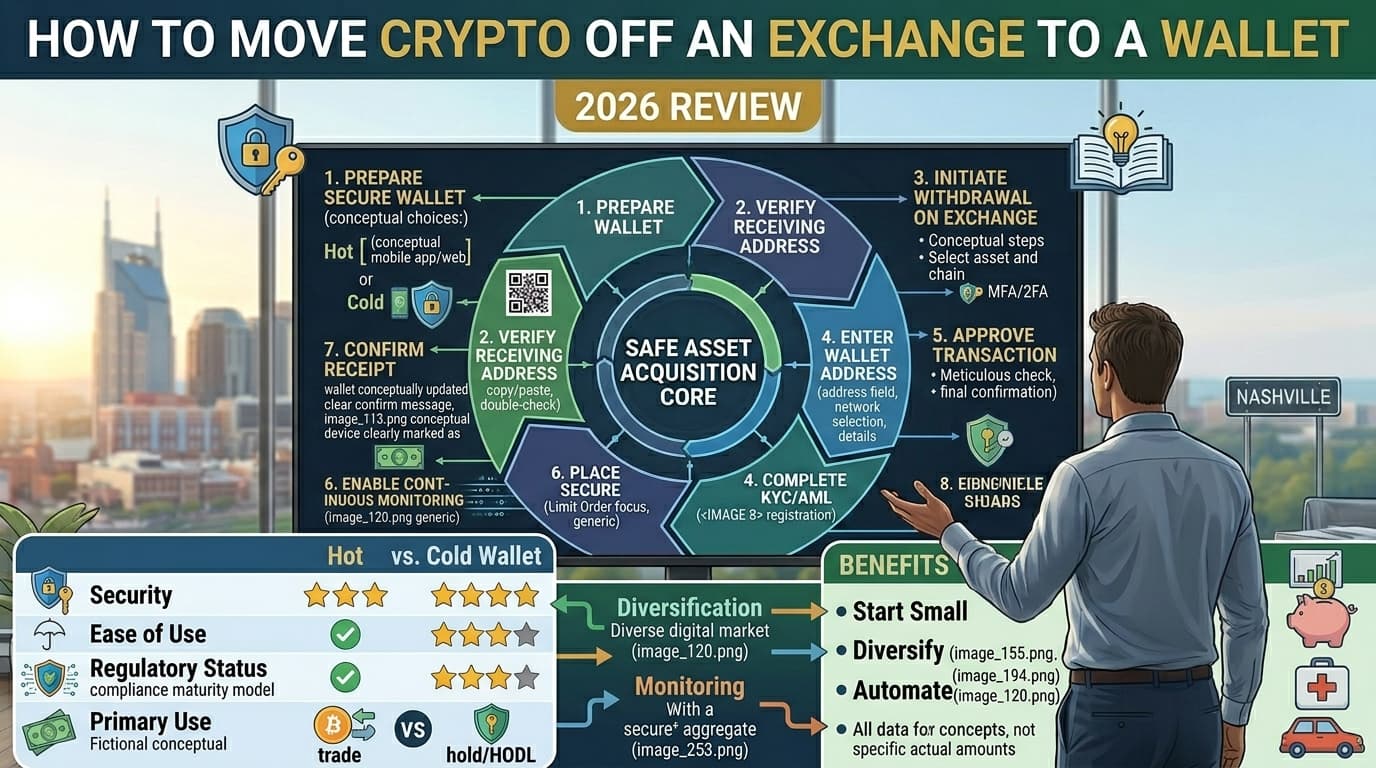
The Short Answer
Move crypto off an exchange by setting up a hardware wallet, verifying the receiving address character by character, sending a small test transaction first, and then transferring the rest — never rush this process.
How to Move Crypto Off an Exchange to a Wallet (2026 Guide)
By DadAlt Investments | Category: Crypto | Last Updated: March 2026
Buying crypto on an exchange is the easy part. Keeping it there — indefinitely, trusting a third party to safeguard your assets — is where many investors take on more risk than they realize. When FTX collapsed in November 2022, it wiped out over $8 billion in customer funds that couldn't be withdrawn. Celsius, Voyager, and BlockFi followed similar paths. In every case, users who held their crypto in a personal wallet walked away whole. Users who left everything on the exchange did not. Moving crypto off an exchange and into a wallet you control — a process called self-custody — is one of the most important steps you can take as a crypto investor. This guide walks you through exactly how to do it: which wallet to use, how to set up and verify a receive address, the step-by-step transfer process for Bitcoin and Ethereum, how to avoid the network-mismatch mistake that permanently destroys funds, and what to do once the transfer is confirmed.
Why You Should Move Crypto Off an Exchange
When your crypto sits on Coinbase, Kraken, and Gemini, Kraken, or any other exchange, you don't actually own the underlying coins in the full sense. You have an account balance — essentially an IOU. The exchange holds the private keys, which means the exchange controls the assets. You are a creditor, not an owner.
This distinction is not academic. It has real consequences:
- Exchange insolvency — FTX, Celsius, Voyager, and Mt. Gox all failed while holding billions in customer crypto. Customers were not made whole. In most cases, they received cents on the dollar — or nothing.
- Account freezes — Exchanges can freeze withdrawals during periods of financial stress, market volatility, or regulatory action. When you need access most is often when you can't get it.
- Hacking risk — Exchanges are high-value targets. Even well-run platforms have been breached. Bybit's cold wallets were hacked in February 2025 by the North Korean Lazarus Group syndicate.1
- Regulatory risk — A U.S. regulatory action against an exchange can freeze accounts while investigations proceed, regardless of whether you personally did anything wrong.
The rule of thumb used by experienced crypto holders: don't leave on an exchange what you wouldn't leave in a stranger's house. For amounts over $500–$1,000, self-custody isn't paranoia — it's basic financial hygiene.
Types of Wallets to Move Into
Before you initiate a transfer, you need a destination. There are two main categories:
best crypto walletss (Cold Storage) — Best for $1,000+
Hardware wallets are physical devices — roughly the size of a USB drive — that store your private keys entirely offline. Because they are never connected to the internet while holding your keys, they are effectively immune to remote hacking.
Top hardware wallets in 2026:
- Ledger Nano X — supports 5,500+ coins; Bluetooth connectivity; ~$149; CC EAL5+ certified secure element chip
- Trezor Model T — 100% open-source firmware; touchscreen; supports 1,800+ coins; no Bluetooth (considered more secure by some); ~$219
- Ledger Nano S Plus — budget system option (~$79); USB-C; 5,500+ coins; no Bluetooth
Best for: Any crypto holding you plan to keep for months or years and don't need frequent access to.
Related Reading: Best Hardware Wallets for Long-Term Crypto Storage — a full comparison of Ledger, Trezor, and Coldcard.
Software / Mobile Wallets (Hot Storage) — Fine for Smaller Amounts
Software wallets are apps on your phone or computer. They store your private keys on an internet-connected device, which makes them more convenient but less secure than hardware wallets. They are appropriate for smaller amounts you use regularly — think of them as your crypto checking account vs. a savings vault.
Popular software wallets:
- Coinbase Wallet — easy setup; supports Ethereum, BTC, and most major tokens; good for beginners
- Trust Wallet — supports 10 million+ assets across 100+ blockchains; widely used on mobile
- MetaMask — the standard Ethereum and EVM-chain wallet; browser extension and mobile app
- Exodus — clean interface; supports 300+ assets; good desktop option
Best for: Smaller amounts (under $500) in active use — DeFi, NFTs, frequent transactions.
Rule of thumb: Use a software wallet for daily crypto you need access to. Use a hardware wallet for savings. Many experienced holders use both in combination.
Before You Start — Pre-Transfer Checklist
Don't skip this step. A few minutes of preparation prevents irreversible mistakes.
- Your wallet is fully set up. Hardware wallet firmware is updated; companion app (Ledger Live or Trezor Suite) is installed and synced.
- Your seed phrase is recorded offline. Write your 12–24 word recovery phrase on paper (or a metal backup plate). Store it somewhere secure — not on your phone, not in a cloud document, not photographed. This phrase is the master key to all your funds.
- You know which blockchain network the coin uses. Bitcoin uses its own network. Ethereum and most ERC-20 tokens use Ethereum mainnet. Solana uses the Solana network. Knowing this matters critically at the moment of withdrawal (more on this below).
- You know the withdrawal fee. Every exchange charges a network fee to send crypto out. These vary by asset and current network congestion — check your exchange's fee schedule before initiating.
- Your 2FA device or app is available. All major exchanges require two-factor authentication confirmation to complete a withdrawal.
- You're on a secure, private Wi-Fi network. Never initiate a crypto transfer on public Wi-Fi.2
Step-by-Step: How to Move Bitcoin from Coinbase to a Hardware Wallet
The process is similar across exchanges and most crypto assets. We'll use Bitcoin + Coinbase + Ledger as the example, since it's the most common setup for U.S. beginners.
Step 1: Get Your Receive Address from Ledger Live
- Connect your Ledger device to your computer via USB
- Enter your PIN on the device
- Open Ledger Live on your computer
- Click "Receive" in the left sidebar
- Select Bitcoin (BTC) from your accounts
- Ledger Live will display a Bitcoin receive address — verify it matches what appears on your physical Ledger device screen (this guards against malware substituting a different address)
- Click "Copy Address" — do not type it manually
Security note: Always verify the receive address on the hardware device's own screen — not just the software. Some malware can replace clipboard addresses silently.3
Step 2: Log Into Coinbase and Navigate to Send
- Open Coinbase on your computer or mobile app
- Go to Portfolio → select Bitcoin
- Click "Send"
Step 3: Enter the Receive Address
- Paste (do not type) your Ledger Bitcoin address into the "To" field
- Double-check the first 4 and last 4 characters of the address against what's shown in Ledger Live
- Confirm the network is set to Bitcoin (BTC native chain)
Step 4: Send a Small Test Amount First
- Enter a small amount — $10–$20 worth of Bitcoin — for your first transfer
- This costs a small network fee but confirms the entire process is working correctly before you send a larger amount
- Never skip the test send, regardless of how confident you feel4
Step 5: Confirm 2FA and Authorize the Withdrawal
- Coinbase will prompt you for your two-factor authentication code
- Enter the code from your authenticator app (Google Authenticator, Authy, etc.)
- Coinbase will also typically send an email confirmation — click the confirmation link
Step 6: Wait for Blockchain Confirmations
- Your transaction is now broadcast to the Bitcoin network
- Bitcoin typically requires 3–6 confirmations before Ledger Live recognizes the transaction as settled
- Confirmation time: usually 10–60 minutes, depending on network congestion and the fee paid
- You can track your transaction in real time using a block explorer: go to mempool.space or blockchain.com/explorer and paste your transaction ID (TXID) — Coinbase provides this in your transaction history
Step 7: Verify the Test Amount in Ledger Live
- Once confirmed (Ledger Live will sync automatically or you can click Refresh), verify the test amount appears in your BTC account balance
- The balance shown in Ledger Live is your actual on-chain balance — this is now fully under your control
Step 8: Send the Remaining Amount
- Once the test transaction is confirmed, return to Coinbase and send the remainder of your Bitcoin to the same address using the same process
Step-by-Step: How to Move Ethereum from Coinbase to a Software Wallet (MetaMask)
Ethereum follows the same logic but uses different confirmation parameters and has one critical extra consideration: network selection.
- Open MetaMask → click your account address to copy it (starts with "0x")
- In Coinbase, go to Portfolio → Ethereum → "Send"
- Paste your MetaMask address in the "To" field
- Critical: Confirm the network is set to Ethereum (ERC-20) — NOT Polygon, NOT BNB Smart Chain, NOT Arbitrum (unless your MetaMask is configured for those networks)
- Send a small test amount ($10–$20)
- Confirm with 2FA
- Wait for confirmations — Ethereum typically confirms in 1–10 minutes with ~12–64 confirmations depending on the exchange's requirements5
- Verify the test amount in MetaMask before sending the remainder
Network Selection — The Mistake That Costs People Everything
This is the single most important section in this article. Read it carefully.
Most coins can be sent across multiple networks. Ethereum (ETH), for example, can be sent on Ethereum mainnet (ERC-20), BNB Smart Chain (BEP-20), Polygon (MATIC), Arbitrum, Optimism, and others. Each network produces a different receiving address format and routing path.
If you send crypto on the wrong network, the funds go to the wrong destination. In most cases, recovery is impossible — the crypto is permanently lost.
Common Network Mistakes and What Happens
| Mistake | Result |
|---|---|
| Send ETH on BEP-20 to an Ethereum-only wallet | Funds typically unrecoverable unless you control the private keys to the receiving address on BSC |
| Send BTC to an ETH address | Permanently lost in almost all cases |
| Send ERC-20 token on Polygon to an Ethereum-only address | May be recoverable if you control both wallets; often lost |
| Send XRP without a destination tag/memo | Funds may be unrecoverable on some exchanges |
The Rule: Always Match Networks
- Sending from exchange: Look at the "Network" dropdown when initiating a withdrawal. It must match the network your receiving wallet is configured for.
- When in doubt: Use the native/default chain. For ETH, use Ethereum mainnet. For BNB, use BNB Smart Chain. Avoid cheaper Layer 2 networks (Arbitrum, Optimism, Polygon) until you understand them well.
- Confirmation: Most good wallets in 2026 display a warning if you paste a mismatched address format. Pay attention to those warnings.6
Note on XRP, Stellar (XLM), and some other coins: These require a destination tag or memo in addition to the address. If you forget to include the tag when sending to an exchange, the exchange may not be able to credit your account. When sending to a personal wallet, the tag is usually not required — but verify with your specific wallet before sending.
After the Transfer
Once your crypto arrives safely in your personal wallet, a few final steps protect what you've worked to secure:
1. Verify Your Balance in the Wallet Software
- Open Ledger Live, Trezor Suite, MetaMask, or your chosen software wallet
- Confirm the received balance matches what you sent (minus the network fee paid on the sending end)
- If the balance doesn't appear, check the transaction on a block explorer using the TXID before assuming anything went wrong — it may simply need more confirmation time
2. Store Your Seed Phrase Offline and Securely
- Your seed phrase (12–24 words) is the only way to recover your wallet if your device is lost, stolen, or broken
- Write it on paper and store it in a fireproof, waterproof location — ideally not in the same physical location as your hardware wallet
- Never photograph your seed phrase, store it in a cloud document (Google Drive, iCloud), or type it into any website or app
- Never share it with anyone under any circumstances — no legitimate support staff will ever ask for it
- Consider a metal backup plate (Cryptosteel, CryptoTag) for maximum durability
3. Reduce Your Exchange Balance to Active-Use Only
- Keep only what you actually need for active trading on any exchange
- A reasonable framework: 10–20% of your crypto holdings on an exchange for trading; the remaining 80–90% in self-custody storage7
4. Do Not Publicly Post Your Wallet Address
- Your public wallet address shows your balance on a block explorer — it's visible to anyone
- Posting a wallet address holding significant value on social media or forums makes you a target for phishing and social engineering attacks
What This Transfer Means for Your Taxes
A crucial point many U.S. investors miss: moving crypto from an exchange to your own wallet is not a taxable event. You have not sold, traded, or exchanged anything. You have simply moved the same asset to a different location. No capital gain or loss is triggered.8
However, this transfer does create an important recordkeeping obligation.
Starting with the 2025 tax year (returns filed in 2026), all major U.S. exchanges are required to report customer transactions to the IRS using the new Form 1099-DA.9 The form reports gross proceeds — but here's the problem: when you transfer crypto from your hardware wallet back to an exchange to sell, the exchange doesn't know your original cost basis (the price you paid when you first bought the coins). It only sees the transfer in.
This means you are responsible for tracking your own cost basis across wallets. If you bought Bitcoin on Coinbase, moved it to a Ledger, held it for two years, then sent it back to Coinbase to sell — you need records showing the original purchase price, date, and any fees paid. Without those records, you may pay more tax than you owe, or trigger an IRS matching notice.10
Practical steps:
- Export your transaction history from Coinbase (or any exchange) before moving funds
- Keep a simple spreadsheet logging each wallet transfer: date, asset, amount, from/to address, TXID
- Use crypto tax software (Koinly, TaxBit, CoinTracker) to maintain cost basis tracking across wallets and exchanges
FAQ
What happens if I accidentally send crypto to the wrong address?
In almost all cases, the funds are permanently lost. Blockchain transactions are irreversible by design. If you send Bitcoin to a random string of characters that doesn't correspond to anyone's wallet, those coins are gone. If you send to a real address that belongs to someone else, there is no mechanism to force them to return the funds. This is why the test send protocol — $10–$20 before the full amount — is non-negotiable. It is also why you should always copy/paste addresses and verify the first and last 4 characters before confirming.3
There is one limited exception: if you accidentally send an ERC-20 token to a wrong address but you own the private keys to both the sending and receiving wallet, a technically sophisticated user may be able to recover the funds by importing the receiving wallet's private key into software that supports the token's standard. This is complex and outside the scope of beginner guidance.
How long does a crypto withdrawal take?
It depends on the blockchain and current network congestion:
| Asset | Typical Confirmation Time | Confirmations Usually Required |
|---|---|---|
| Bitcoin (BTC) | 10–60 minutes | 3–6 |
| Ethereum (ETH) | 1–10 minutes | 12–64 |
| Solana (SOL) | Seconds | Near-instant |
| XRP | 3–5 seconds | Near-instant |
| Litecoin (LTC) | 2–5 minutes | 6 |
Exchanges also have their own internal processing times on top of blockchain confirmation times — some add 10 minutes to 2 hours for security reviews on large withdrawals.11
Do I owe taxes when moving crypto from an exchange to my own wallet?
No. Transferring crypto between wallets you own — including from an exchange account to a hardware wallet — is not a taxable event under current IRS rules. You haven't sold, swapped, or disposed of the asset.8 However, keep records of the transfer (date, TXID, amount) because when you eventually sell, your exchange may not have complete cost basis information for coins that originated elsewhere.
Can I send crypto back to an exchange later?
Yes — and the process is the reverse of what you've done here. From your wallet (Ledger Live, MetaMask, etc.), initiate a "Send" transaction, paste your exchange deposit address, select the correct network, and confirm. The same rules apply: test send first, double-check the network, verify the address character-by-character. Many exchanges also require a memo or destination tag when receiving certain coins (XRP, XLM, EOS) — always check the exchange's deposit instructions before sending.
Quick Reference: Common Crypto Transfer Mistakes and How to Avoid Them
| Mistake | How to Avoid It |
|---|---|
| Sending to the wrong network | Always match the network on the exchange to the network your wallet uses |
| Typing the wallet address manually | Always copy/paste; verify first and last 4 characters |
| Skipping the test send | Always send $10–$20 first and confirm it arrives |
| Storing seed phrase digitally | Paper only; consider a metal backup for durability |
| Using public Wi-Fi | Only initiate transfers on a secure private network |
| Forgetting destination tags (XRP, XLM) | Check the exchange's deposit page for memo/tag requirements |
| Sending everything in one transaction | Test send first; send the bulk only after confirmation |
Sources and References
Disclaimer: This article is for informational purposes only and does not constitute financial, legal, or tax advice. Cryptocurrency involves significant risk, including the risk of total loss. Always consult a qualified tax professional regarding your specific situation. DadAlt Investments may earn affiliate commissions from some links in this article at no cost to you.
Recommended Reading
- Crypto Wallet vs Exchange: What's the Difference?
- Best Hardware Wallets for Long-Term Crypto Storage
- How to Store Crypto Safely Long-Term
Footnotes
-
99Bitcoins. "Robinhood Review 2026: Features, Fees, and Comparison." Referencing Bybit/Lazarus Group hack, February 2025. https://99bitcoins.com/bitcoin-exchanges/robinhood-review/ ↩
-
Material Bitcoin. "Transfer From Exchange to Cold Wallet: Step-by-Step Guide." https://materialbitcoin.com/en/blog/how-to-transfer-crypto-from-exchange-to-cold-wallet/ ↩
-
Investment Insight. "How to Move Crypto from Exchange to a Hardware Wallet?" January 5, 2026. https://www.investmentinsight.org/2026/01/how-to-move-crypto-from-exchange-to.html ↩ ↩2
-
Baltex Exchange. "How to Transfer Crypto from Exchange to Wallet: Secure Guide 2026." https://baltex.io/blog/ecosystem/how-to-transfer-crypto-from-exchange-to-wallet-secure-guide-2026 ↩
-
OKX. "How to Transfer Crypto to Wallet." November 18, 2025. https://www.okx.com/en-us/learn/crypto/how-to-transfer-crypto-to-wallet ↩
-
Baltex Exchange. "How to Transfer Crypto from Exchange to Wallet: Secure Guide 2026." https://baltex.io/blog/ecosystem/how-to-transfer-crypto-from-exchange-to-wallet-secure-guide-2026 ↩
-
SpotedCrypto. "Hardware crypto wallets versus exchanges: The 2026 long-term storage Guide." March 2026. https://www.spotedcrypto.com/hardware-wallet-vs-exchange-2026/ ↩
-
Koinly. "Crypto Taxes: Expert Guide 2026." January 5, 2026. https://koinly.io/guides/crypto-taxes/ ↩ ↩2
-
Chainwise CPA. "How best crypto exchanges for beginnerss Report to the IRS in 2025 (And What You Must Do About It)." January 18, 2026. https://chainwisecpa.com/exchange-crypto-reporting-irs/ ↩
-
CoinDesk. "American Crypto Investors Are Scared, Confused About This Year's New IRS Transaction Reporting." February 18, 2026. https://www.coindesk.com/business/2026/02/18/american-crypto-holders-are-scared-and-confused-about-this-year-s-new-irs-tax-rules ↩
-
Cryptomus. "How to Transfer or Withdraw Bitcoin from a Cold Wallet." July 4, 2025. https://cryptomus.com/blog/how-to-transfer-or-withdraw-crypto-from-a-cold-wallet ↩
Frequently Asked Questions
How do I transfer Bitcoin from Coinbase to a hardware wallet?
In Coinbase, go to Send, paste your wallet's receiving address (triple-check it), send a small test amount first, confirm it arrived, then send the rest. The whole process takes about 10–30 minutes.
Can I reverse a crypto transaction if I send to the wrong address?
No — crypto transactions are irreversible. If you send to the wrong address, those funds are permanently lost. This is why you always send a small test transaction first and verify every character of the address.
How much does it cost to transfer crypto to a wallet?
Network fees vary. Bitcoin transfers typically cost $1–$10, Ethereum can range from $2–$50 depending on network congestion. Most exchanges don't charge additional withdrawal fees beyond the network cost.

About the Author
Jared DeValk
Founder, DadAlt Investments
Father, alternative investment researcher, and founder of DadAlt Investments. 14+ years turning hard lessons into honest guidance for dads building real wealth.