
Best Hardware Wallets for Long-Term Crypto Storage
Review of the top hardware wallets for securing crypto.
The Short Answer
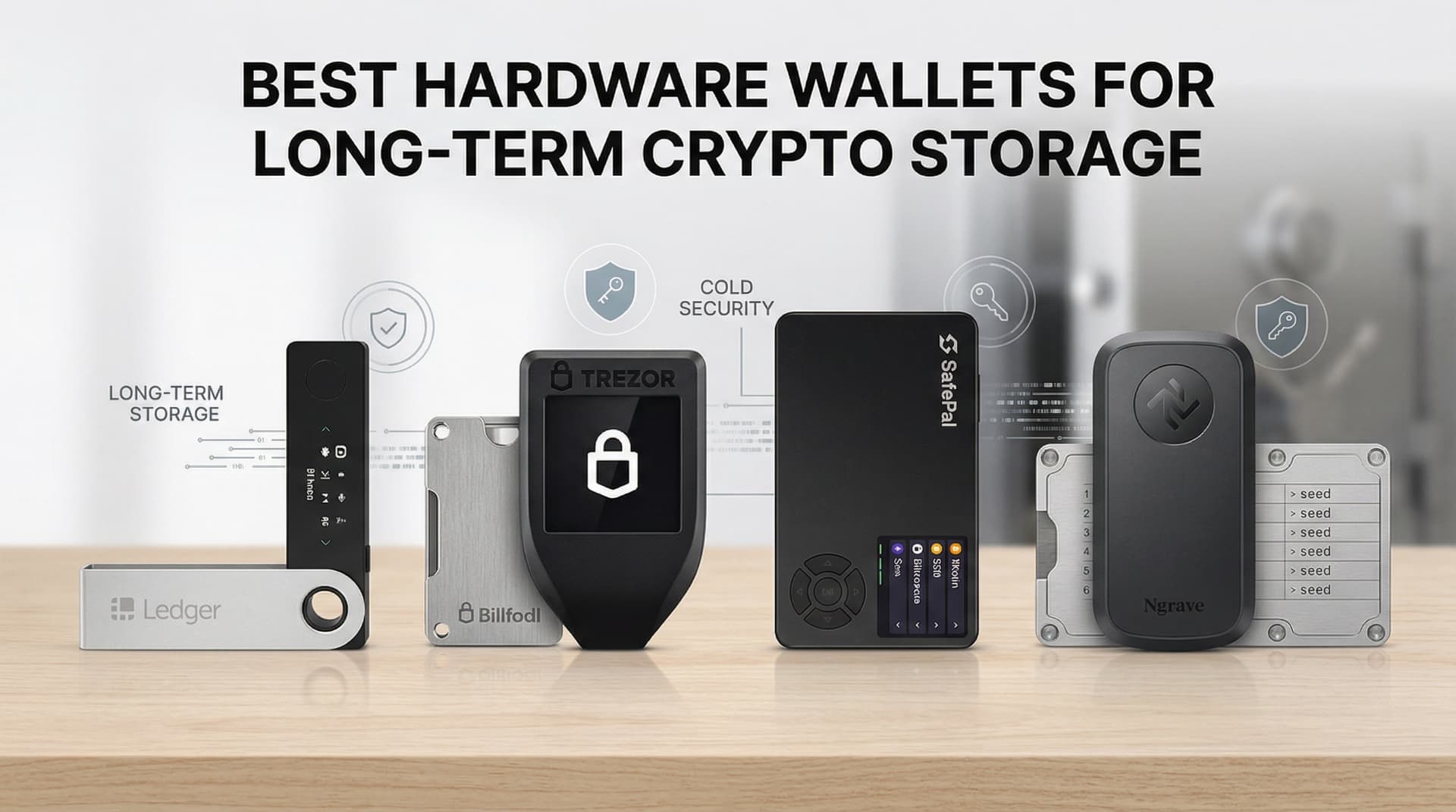
The best hardware wallets for long-term crypto storage are Ledger Nano X (best overall), Trezor Model T (best open-source), and Ledger Nano S Plus (best budget) — all keep your private keys offline and secure.
Best Hardware Wallets for Long-Term Crypto Storage (2026 Guide)
By DadAlt Investments | Category: Crypto | Last Updated: March 2026
If you own more than a few hundred dollars worth of cryptocurrency and it's still sitting on an exchange, you're taking a risk you probably don't need to take. Hardware wallets — small physical devices that store your private keys entirely offline — are the single most effective way to protect long-term crypto holdings from hacks, exchange collapses, and theft. The combined customer losses from FTX, Celsius, Voyager, and Mt. Gox alone exceeded $30 billion. In every single case, the people who lost money were those who trusted a platform to hold their coins. The people who held hardware wallets lost nothing. This guide covers the four best hardware wallets for U.S. investors in 2026 — Ledger Nano X, Trezor Model T, Trezor Safe 3, and Coldcard Mk4 — along with how they work, how to secure your seed phrase, and what to do if you lose your device.
Why Hardware Wallets Are Non-Negotiable for Serious Crypto Holders
The case for hardware wallets comes down to one principle: "Not your keys, not your coins."
When your crypto sits on an exchange — Coinbase, Kraken, Gemini, or anyone else — you don't technically own it. You own a claim on it. The exchange holds the private keys. If the exchange is hacked, goes bankrupt, freezes withdrawals, or is seized by regulators, your crypto is at risk. History has proven this repeatedly:
- Mt. Gox (2014): 850,000 BTC lost — roughly $73 billion at today's prices — after a multi-year hack went undetected
- Celsius Network (2022): Froze $8+ billion in customer withdrawals before filing for bankruptcy
- Voyager Digital (2022): Blocked $1.3 billion in customer funds after FTX exposure triggered its collapse
- FTX (2022): $8+ billion in customer funds either stolen, misappropriated, or lost — one of the largest financial frauds in U.S. history
A hardware wallet eliminates this counterparty risk. Your private keys never leave the device. The exchange, the internet, and hackers cannot reach them. Even if someone steals your laptop, they cannot access your crypto.
When should you move to a hardware wallet? The general rule: any holding over $1,000–$2,000 warrants hardware wallet protection.1 If you wouldn't leave that amount of cash in a stranger's house, don't leave it on an exchange.
How Hardware Wallets Work (Plain English)
Before choosing a device, it helps to understand exactly what a hardware wallet does — and doesn't do.
A hardware wallet does not "store" your cryptocurrency. Your coins actually live on the blockchain. What the wallet stores is your private key — the cryptographic proof of ownership that allows you to authorize transactions.
Here's the process in plain terms:
-
Your private key is generated inside the device and never leaves it. When you set up your wallet, the device creates a private key using its own random number generator. That key never touches your computer, phone, or the internet.
-
When you want to send crypto, the transaction is signed inside the chip. You initiate a transaction on your computer or phone. The unsigned transaction is sent to the hardware wallet. The wallet signs it using your private key — inside the device — and sends only the signed transaction back to the network. Your private key is never exposed.
-
Your seed phrase is the master backup. During setup, your device generates a seed phrase — typically 12 or 24 random words in a specific order. This seed phrase is the only way to recover your crypto if your device is lost, stolen, or damaged. It is everything.
-
Losing the device ≠ losing your crypto. If your hardware wallet is destroyed in a fire or lost, you can buy any compatible device, enter your seed phrase during setup, and your full balance is restored. What you cannot recover from is losing your seed phrase with no backup.
Quick Comparison Table
| Wallet | Price (USD) | Coins Supported | Connectivity | Touchscreen | Open-Source Firmware | Secure Element Chip | Best For |
|---|---|---|---|---|---|---|---|
| Ledger Nano X | ~$149 | 5,500+ | USB-C + Bluetooth | No | Partial (app layer open) | ✅ CC EAL5+ | Best overall; mobile users |
| Trezor Model T | ~$219 | 1,800+ | USB-C | ✅ Color touchscreen | ✅ 100% open-source | ❌ Standard MCU | Open-source advocates |
| Trezor Safe 3 | ~$79 | 7,000+ | USB-C | No | ✅ Open-source | ✅ EAL6+ | Budget-conscious beginners |
| Coldcard Mk4 | ~$158 | Bitcoin only | USB-C + Air-gapped | No | ✅ Open-source | ✅ Dual secure element | Advanced Bitcoin-only users |
Prices are approximate retail prices as of March 2026. Always purchase directly from the manufacturer's official website.
#1 Ledger Nano X — Best Overall Hardware Wallet
Who it's for: The broadest group of crypto holders — anyone who wants the widest coin support, Bluetooth mobile connectivity, and a well-established platform.
The Ledger Nano X is the most widely used hardware wallet in the world and consistently recommended as the best overall choice for long-term storage.2 It supports more than 5,500 coins and tokens — the widest selection of any hardware wallet on this list — and connects to both desktop (via USB-C) and mobile (via Bluetooth) through the Ledger Live app.3
Key Features
- 5,500+ coins and tokens — Bitcoin, Ethereum, Solana, and thousands of altcoins and ERC-20 tokens
- Bluetooth connectivity — manage your portfolio on iOS or Android via the Ledger Live mobile app
- CC EAL5+ certified secure element chip — the same class of chip used in passports and credit cards, providing hardware-level protection against physical tampering
- Large internal storage — supports up to 100 apps simultaneously (each coin family requires a separate app)
- Ledger Live — desktop and mobile portfolio manager with built-in staking, NFT management, and DeFi connectivity
- ~$149 retail price
Honest Assessment of Ledger's Data Breach History
Ledger has a record of customer data exposure that any buyer should understand before purchasing. The company has experienced multiple incidents:
- 2020: A breach of Ledger's e-commerce database exposed roughly 1.1 million email addresses and detailed personal data (home addresses, phone numbers) for approximately 292,000 customers. The data was subsequently dumped publicly and has been used in phishing campaigns for years since.4
- December 2023: Attackers compromised Ledger's Connect Kit JavaScript library through a supply-chain attack, injecting malicious code into decentralized applications that connected to Ledger wallets. Approximately $500,000 in customer assets were drained before Ledger patched the vulnerability within hours.5
- January 2026: Ledger confirmed another customer data exposure through third-party payment processor Global-e. Customer names and contact details were exposed. Ledger emphasized that no seed phrases, private keys, wallet balances, or payment card details were compromised.6
The critical distinction: In every incident involving Ledger hardware wallets, no customer lost crypto stored on a properly secured device. The hardware security model — private keys stored offline in a secure element chip — has never been broken remotely. What has repeatedly leaked is customer contact information, which creates ongoing phishing risk.
What this means for you: If you buy a Ledger, use a dedicated email address for the purchase. Be permanently vigilant about phishing emails and texts that reference Ledger. Never enter your seed phrase anywhere except during device initialization. Legitimate Ledger support will never ask for your 24 words.
Best For
Multi-coin holders who want the widest asset support, mobile portfolio management, and are comfortable with Ledger's mixed privacy track record. If you hold Bitcoin plus a variety of altcoins and want to manage everything from your phone, the Nano X remains the most capable option.
#2 Trezor Model T — Best for Open-Source Security
Who it's for: Security-focused users who want 100% auditable, transparent firmware and a touchscreen interface.
Trezor, launched in 2013 by SatoshiLabs, invented the hardware wallet category. The Trezor Model T is its flagship legacy device — featuring a color touchscreen, full open-source firmware, and Shamir Backup, an advanced recovery mechanism that splits your seed phrase across multiple shares.7
Key Features
- 100% open-source firmware — every line of code running on the device is publicly available on GitHub for independent security audit. There are no hidden components.
- Color touchscreen — input your PIN and passphrases directly on the device, eliminating the risk of keylogging on your computer
- 1,800+ coins — Bitcoin, Ethereum, XRP, Monero, and most major assets
- Shamir Backup (SLIP39) — an optional advanced feature that splits your recovery phrase into multiple shares (e.g., 3-of-5), requiring any 3 of 5 pieces to reconstruct. This eliminates the single point of failure of a standard seed phrase.
- No Bluetooth — all connectivity is via USB-C only; many security researchers consider the absence of wireless connectivity a security advantage
- Trezor Suite — desktop and web app for managing your portfolio, no phone app required
- ~$219 retail price
Security Model
The Trezor Model T uses a standard microcontroller (MCU) rather than a dedicated secure element chip — unlike Ledger. This is a deliberate design choice: secure element chips are manufactured by closed-source vendors, which makes them incompatible with Trezor's fully open-source philosophy.8 Security researchers worldwide can audit Trezor's firmware because all of it is public. Trezor's argument is that transparent, auditable code provides stronger long-term security than opaque, certified hardware.
The tradeoff: without a dedicated secure element, a sophisticated attacker with physical access to your device could theoretically extract your seed phrase using specialized hardware. This is considered a low-probability attack for most users, but it's a meaningful distinction for those with very large holdings.
Important: In 2023, SatoshiLabs launched the Trezor Safe 3 and Safe 5, which added a secure element chip to a new line while maintaining open-source firmware — arguably combining the best of both worlds.
Best For
Users who value maximum transparency and the ability to verify exactly what their hardware is doing. Developers, security researchers, and privacy advocates who won't accept closed firmware. Those who want Shamir Backup for advanced seed phrase protection.
#3 Trezor Safe 3 — Best Budget Hardware Wallet
Who it's for: Beginners who want serious, certified hardware security without paying a premium price.
The Trezor Safe 3, launched in late 2023, is arguably the best value hardware wallet on the market in 2026. It combines Trezor's open-source firmware heritage with a newly added EAL6+ certified secure element chip — the same class of hardware protection found in Ledger devices and some passports — at a starting price of just $79.1
The Trezor Safe 3 also supports over 7,000 coins and tokens, making it actually broader in asset support than the more expensive Trezor Model T.9
Key Features
- EAL6+ certified secure element chip — provides certified hardware resistance against physical attacks, at a higher certification level than Ledger's EAL5+
- 100% open-source firmware — same transparent codebase as the Trezor Model T
- 7,000+ coins and tokens — the widest selection in the Trezor lineup
- 12, 18, and 24-word seed phrase support — including SLIP39 compatibility for advanced recovery setups
- Simple, compact form factor — 0.96-inch OLED screen with two physical buttons
- $79 universal version ($59 for the Bitcoin-only edition)
- Tamper-evident packaging
Why It Beats the Model T for Most Beginners
The Safe 3 is cheaper, supports more coins, and has a higher-rated secure element than its more expensive predecessor. The only thing you lose compared to the Model T is the color touchscreen and Shamir Backup. For a first-time hardware wallet user with a straightforward Bitcoin and Ethereum portfolio, neither of those features is essential.
For most beginners, the Trezor Safe 3 represents the best combination of security certification, transparent firmware, and accessible price point in the 2026 hardware wallet market.
Best For
Beginners buying their first hardware wallet. Users who want the security credentials of a premium device at a budget price. Anyone who wants open-source firmware plus a secure element chip in the same device.
#4 Coldcard Mk4 — Best for Advanced Bitcoin-Only Users
Who it's for: Bitcoin maximalists, institutional holders, and technically advanced users who want the most extreme security available for a single asset.
The Coldcard Mk4, made by Coinkite, is the hardware wallet of choice among hardcore Bitcoin self-custody crypto advocates. It supports Bitcoin only — no altcoins, no Ethereum, no tokens. What it offers instead is an unmatched combination of air-gapped signing capability, dual secure element chips, open-source firmware, and features designed specifically for institutional-grade Bitcoin security.10
Key Features
- Air-gapped signing — the Coldcard can sign Bitcoin transactions without ever being physically connected to a computer. Transactions are transferred via microSD card (PSBT format), meaning the device itself never touches the internet or an internet-connected machine
- Dual secure element chips — two separate certified secure chips from different manufacturers for redundant physical protection
- Open-source firmware — all code is publicly auditable
- PSBT (Partially Signed Bitcoin Transactions) support — enables advanced multi-signature wallet setups
- Dice roll entropy — you can manually add randomness to your key generation using physical dice rolls, eliminating any trust in the device's random number generator
- NFC and USB-C connectivity (in addition to microSD air-gap mode)
- ~$158 retail price
Who Actually Uses Coldcard
The Coldcard is standard equipment among institutional Bitcoin holders, professional custody setups, and the "Bitcoin-only" community. It is not a beginner device. The setup process is significantly more complex than Ledger or Trezor, and the absence of a companion app (like Ledger Live or Trezor Suite) means you'll need third-party software like Sparrow Wallet to manage your funds.
Honest Limitations
- Bitcoin only — no Ethereum, no altcoins, no stablecoins
- Steep setup curve — not appropriate for beginners. Plan on 1–2 hours for initial setup and configuration
- No companion app — requires comfort with third-party Bitcoin wallet software
- Overkill for most retail investors — the air-gap feature is genuinely useful for holdings above $50,000–$100,000 where threat modeling justifies the complexity
Best For
Long-term Bitcoin holders with significant holdings ($10,000+) who want the maximum security architecture available without compromise. Technically advanced users who understand Bitcoin's UTXO model and are comfortable with Sparrow Wallet or Electrum.
Seed Phrase Security — The Most Critical Step
Your hardware wallet is only as secure as your seed phrase backup. The device itself can be replaced. Your seed phrase cannot. If you lose it and your device is damaged or lost, your crypto is gone permanently.
The Rules
-
Write it on paper with a pen immediately after setup — in order. Number each word. Keep the list private and offline. Never type it into any device, app, or website. Never photograph it with your phone. Never store it in a cloud service (not iCloud, not Google Drive, not email).
-
Never store your seed phrase digitally. Not in a password manager, not in a notes app, not in an encrypted file on your computer. Software is always vulnerable to malware. The only safe storage is offline and physical.
-
Consider a metal backup for serious holdings. Paper burns, floods, and fades. Products like Cryptosteel Capsule, Bilodal, and Blockplate allow you to stamp or engrave your seed words into stainless steel — fireproof, waterproof, and corrosion-resistant. For holdings above $5,000–$10,000, a metal backup is worth the $50–$100 investment.
-
Store copies in two physically separate, secure locations. A safe at home plus a safe deposit box at your bank, for example. If one location is lost to fire or flood, the second backup saves your crypto.
-
Never share it with anyone, for any reason. No hardware wallet company (Ledger, Trezor, or anyone else) will ever ask for your seed phrase. A support agent asking for your seed phrase is a scammer, 100% of the time.
-
Test your recovery before you need it. After setup, while your balance is still small, practice restoring your wallet on a second device using only your seed phrase. This confirms your backup is correct.
Protect Your Identity Too
The January 2026 Ledger breach — and the 2020 breach before it — demonstrated that your identity as a hardware wallet owner is itself a security risk. People who are known to own significant crypto become targets for phishing, social engineering, and in rare cases, physical extortion. Use a dedicated email address for hardware wallet purchases. Use a P.O. box or freight forwarder for shipping if your holdings are significant. Don't discuss your crypto holdings publicly or on social media.
FAQ
What happens if I lose my hardware wallet?
Nothing, as long as your seed phrase is safe. Buy a new device, enter your seed phrase during setup, and your full balance will be restored. The device is just a key reader — your crypto lives on the blockchain. The seed phrase is the master key.11
Can one hardware wallet hold multiple different cryptocurrencies?
Yes, for Ledger and Trezor devices. A single device and single seed phrase can manage Bitcoin, Ethereum, Solana, and thousands of other assets simultaneously. Each coin family typically requires its own app installed on the device (a 30-second process in Ledger Live or Trezor Suite). The Coldcard Mk4 is the exception — it supports Bitcoin only.
Is it safe to buy a hardware wallet from Amazon or eBay?
No — always buy directly from the manufacturer's official website. Hardware wallets purchased from third-party sellers (Amazon, eBay, Craigslist) may have been tampered with before you receive them. A compromised device can be designed to appear genuine while actually sending your private key to an attacker upon setup. Ledger and Trezor have both documented supply-chain tampering incidents involving resold devices.12 Both companies publish verification guides with photos of genuine, untampered packaging — use them after receiving any device.
Do hardware wallets connect with DeFi applications?
Yes, with important caveats. Ledger integrates with MetaMask, Uniswap, and other DeFi applications through Ledger Live and WalletConnect. Trezor also supports MetaMask connections via USB. However, DeFi connectivity reintroduces software risk — the December 2023 Ledger Connect Kit exploit targeted exactly this interface. When interacting with DeFi protocols through a hardware wallet, always read what you're signing on the device screen and use Ledger's "Clear Sign" feature to verify the actual transaction details before approving.
Which Hardware Wallet Should You Choose?
| Your Situation | Best Choice |
|---|---|
| First hardware wallet, mixed crypto portfolio | Trezor Safe 3 ($79) |
| Want widest coin support + mobile management | Ledger Nano X ($149) |
| Prioritize 100% open-source firmware + touchscreen | Trezor Model T ($219) |
| Bitcoin-only, large holdings, advanced user | Coldcard Mk4 (~$158) |
| Tight budget, Bitcoin + Ethereum only | Trezor Safe 3 Bitcoin Edition ($59) |
| Want best of open-source + secure element chip | Trezor Safe 3 |
For most U.S. investors buying their first hardware wallet in 2026, the Trezor Safe 3 is the default recommendation — it combines open-source firmware, an EAL6+ certified secure element, 7,000+ coin support, and a $79 price point. If you want the widest possible coin selection and mobile Bluetooth management, upgrade to the Ledger Nano X — just do so with a clear understanding of Ledger's data breach history, use a dedicated purchase email, and never lower your guard on phishing.
Whatever you choose: buy from the official website, verify the packaging before setup, write your seed phrase on paper immediately, and store it somewhere it will survive a house fire.
Sources and References
Disclaimer: This article is for informational purposes only and does not constitute financial or investment advice. Cryptocurrency is highly volatile and speculative. DadAlt Investments may earn affiliate commissions from some links in this article at no cost to you. Always verify current product pricing, features, and availability on the manufacturer's official website before purchasing.
Recommended Reading
- 5 Crypto Wallets Every Dad Should Know
- How to Store Crypto Safely Long-Term
- How to Move Crypto Off an Exchange to a Wallet
Footnotes
-
CoinLedger. "9 Best Cold Storage Wallets 2026 (Expert Recommended)." January 3, 2026. https://coinledger.io/tools/best-cold-storage-wallets ↩ ↩2
-
StealthEX. "What Is a Cold Wallet? Best Crypto Cold Storage Guide 2026." March 2026. https://stealthex.io/blog/what-is-cold-wallet-crypto-guide/ ↩
-
NFT Plazas. "Best Cold Wallets for Crypto in 2026: Secure Offline Storage Compared." March 2026. https://nftplazas.com/exchange/best-cold-wallets-for-crypto/ ↩
-
Cryptonomist. "Ledger data breach raises alarm on crypto customer exposure." January 5, 2026. https://en.cryptonomist.ch/2026/01/05/ledger-data-breach-privacy-risks/ ↩
-
Ledger. "Security Incident Report — Ledger Connect Kit Exploit, December 14, 2023." https://www.ledger.com/blog/security-incident-report ↩
-
BleepingComputer. "Ledger customers impacted by third-party Global-e data breach." January 5, 2026. https://www.bleepingcomputer.com/news/security/ledger-customers-impacted-by-third-party-global-e-data-breach/ ↩
-
Coin Bureau. "Trezor vs Ledger: Which Hardware Wallet is Better in 2026?" February 3, 2026. https://coinbureau.com/analysis/trezor-vs-ledger ↩
-
BitBox. "Hardware wallet comparison 2026: Ledger, Trezor, BitBox." https://bitbox.swiss/bitbox02/compare-hardware-wallets/ ↩
-
NFT Plazas. "Best Cold Wallets for Crypto in 2026: Secure Offline Storage Compared." March 2026. https://nftplazas.com/exchange/best-cold-wallets-for-crypto/ ↩
-
CoinLedger. "9 Best Cold Storage Wallets 2026." January 3, 2026. https://coinledger.io/tools/best-cold-storage-wallets ↩
-
EarnPark. "Cold Wallet Comparison: Ledger vs Trezor 2026." February 3, 2026. https://earnpark.com/en/posts/cold-wallet-comparison-ledger-vs-trezor-2026/ ↩
-
EFani. "Ledger Security Breaches Timeline (2018–2026) | Full Incident History." https://www.efani.com/blog/ledger-security-breaches-history ↩
Frequently Asked Questions
What is a hardware wallet and why do I need one?
A hardware wallet is a physical device that stores your crypto private keys offline, making them immune to online hacking. If you hold more than $500 in crypto, a hardware wallet is essential security.
What happens if I lose my hardware wallet?
Your crypto isn't lost — it's on the blockchain, not the device. When you set up any hardware wallet, you receive a 12–24 word recovery phrase. Use that phrase to restore your funds on a new device.
Is Ledger or Trezor better?
Both are excellent. Ledger supports more coins and has Bluetooth (Nano X). Trezor is fully open-source, which security purists prefer. For most dads, Ledger Nano X offers the best balance of security and convenience.

About the Author
Jared DeValk
Founder, DadAlt Investments
Father, alternative investment researcher, and founder of DadAlt Investments. 14+ years turning hard lessons into honest guidance for dads building real wealth.